

The perfect smartphone for seniors: expert tips
In recent years, users aged 60 and older are interested not only in regular button "phones." According to specialists' observations, retirees are increasingly requesting the ability to communicate via video in messengers, as well as access to the government services portal for document processing. This changes the approach to device selection.
Experts emphasize that there is no universal solution "for all retirees" — it all depends on the person's willingness to learn.
For those who do not want to delve into technology
If an elderly relative only wants to make video calls and not worry about charging, the choice is obvious. The ideal basic model should have:
A large display (to avoid straining the eyes);
A powerful battery (so there’s no need to search for an outlet every few hours).
At the same time, chasing after gigabytes of memory and a powerful processor is unnecessary.
For advanced users
Often, older people not only master technology but also actively shoot videos, communicate on social networks, and share photos with friends. They will need more serious specifications: experts recommend looking for models with at least 128 GB of built-in memory and 6 GB of RAM.
Secret settings for convenience
Even the most powerful smartphone will become a burden if it has small icons. Retail insiders remind us: there are hits on the market (for example, from Huawei, Honor, and Samsung) that initially include a "simplified mode." This makes icons huge and the menu as simple as possible. If the manufacturer did not provide such a function, the owner should go into settings and increase the font size, the time until the screen locks, and the overall scale.
Tips from operator experts
To ensure that the smartphone does not scare the elderly person but serves faithfully, technical specialists provide five solid rules.
Silence in settings. It is necessary to disable notifications from all applications except the most critical ones (for example, calls and SMS from the bank or children). An extra "ping" can be confusing.
Night mode with exceptions. It’s better to put the gadget in silent mode at night, but make an exception for the number of the closest relative — in case of an emergency.
Everything is audible and visible. It is recommended to set the ringtone volume to maximum with vibration. In the "Accessibility" section, it is worth increasing the screen contrast and enabling high-contrast text.
General cleanup of the desktop. It’s better to delete or group all unnecessary applications into one folder. The ideal is a single desktop where only frequently used items are located (camera, social networks, messengers, government services).
A "rescue" button for the relative. Specialists strongly advise installing an application on the elderly person's phone that allows relatives to connect to the screen remotely from a computer or their phone and tidy things up if grandpa "accidentally broke everything."
Другие Новости Кирова (НЗК)
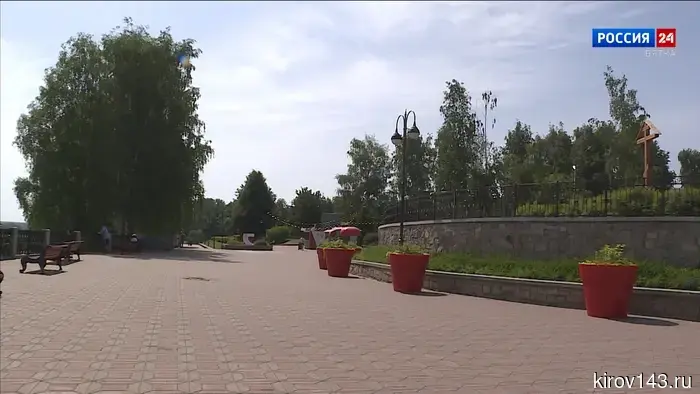 Александр Соколов дал задание разработать проект по улучшению нижней набережной в Кирове.
Губернатор Александр Соколов дал указание разработать проект по благоустройству нижней набережной в Кирове. В планах предусматривается обустроить протяжённую и красивую набережную от старого моста до Вересников, охватывающую территорию Ежовского озерного комплекса, а также систему оврагов. Глава региона распорядился начать работы уже в мае.
Александр Соколов дал задание разработать проект по улучшению нижней набережной в Кирове.
Губернатор Александр Соколов дал указание разработать проект по благоустройству нижней набережной в Кирове. В планах предусматривается обустроить протяжённую и красивую набережную от старого моста до Вересников, охватывающую территорию Ежовского озерного комплекса, а также систему оврагов. Глава региона распорядился начать работы уже в мае.
 В Арбажском районе во время пожара погиб мужчина.
В ночь на 5 мая 2026 года в селе Сорвижи Арбажского района Кировской области произошёл пожар, сообщает СУ СК РФ по Кировской области. Пожар был потушен сотрудниками МЧС, однако на месте происшествия было найдено тело 63-летнего местного жителя. Предполагаемой причиной возгорания могло быть
В Арбажском районе во время пожара погиб мужчина.
В ночь на 5 мая 2026 года в селе Сорвижи Арбажского района Кировской области произошёл пожар, сообщает СУ СК РФ по Кировской области. Пожар был потушен сотрудниками МЧС, однако на месте происшествия было найдено тело 63-летнего местного жителя. Предполагаемой причиной возгорания могло быть
 May 9th is the main holiday: this is what 75% of Kirov residents believe.
Victory Day remains the most significant holiday for the residents of Kirov.
May 9th is the main holiday: this is what 75% of Kirov residents believe.
Victory Day remains the most significant holiday for the residents of Kirov.
 A resident of Kirov attempted to steal cognac from a store on Oktyabrsky Avenue.
In Kirov, Rosgvardiya officers detained a man suspected of robbery from a store on Oktyabrsky Avenue.
A resident of Kirov attempted to steal cognac from a store on Oktyabrsky Avenue.
In Kirov, Rosgvardiya officers detained a man suspected of robbery from a store on Oktyabrsky Avenue.
 In the Kirov region, 13 fires occurred in a day.
The emergency services also dealt with two traffic accidents.
In the Kirov region, 13 fires occurred in a day.
The emergency services also dealt with two traffic accidents.
 A 21-year-old woman from Kirov believed a "marketplace courier" and lost nine million.
The Ministry of Internal Affairs of Russia for the Kirov Region reported another case of remote fraud.
A 21-year-old woman from Kirov believed a "marketplace courier" and lost nine million.
The Ministry of Internal Affairs of Russia for the Kirov Region reported another case of remote fraud.
The perfect smartphone for seniors: expert tips
Elderly people are increasingly mastering digital services: from video calls to grandchildren to making doctor appointments through "Gosuslugi." However, a regular flagship smartphone often turns out to be too complicated for them. Analysts and specialists from one of the major telecommunications operators have prepared a list of key features and setup tricks that will turn the gadget into an understandable assistant for the older generation.