
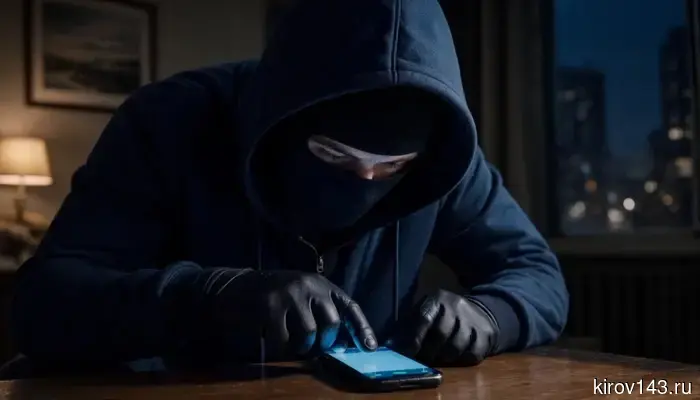
"Every penny will go towards funding the Armed Forces of Ukraine": a Kirov resident received threats after being added to the house chat.
A resident of Kirov contacted the editorial office of Newsler.ru, who encountered a recently emerged fraud scheme. It all started with an invitation to the chat "Project 'Home.'” A nice bonus — the opportunity to communicate with neighbors, discuss pressing issues, and even participate in the life of the building. However, the "neighbors" turned out to be fake.
Judging by the screenshots of the correspondence that the woman provided to the editorial office, there was a lot of activity in the chat. The administrator and fake residents vigorously convinced people: they urgently needed to confirm participation in the capital repair program by July 15, otherwise the house would be removed from the lists for 2026, and the contributions would remain a dead weight. Convincing arguments and lists of names were used — all to lull vigilance. The woman was sent a confirmation code, which she sent back — and that moment became fateful.
Instead of the expected roof and facade repairs, she received a completely different "surprise." Messages arrived from a fake account that chilled the blood: "How will ... launch rockets at you with your own money" and "Every penny will go to fund the Armed Forces of Ukraine." Following that were obscene language and the dry, but most terrifying: "I have already downloaded all your documents. I will open accounts in every microfinance organization in every bank..." And then it got worse: calls and SMS flooded her phone. The scammers were serious about their work.
What to do if you find yourself in such a situation?
1. Stop contact with the scammers
If a hack followed a call or correspondence — immediately cease communication. Do not try to "outsmart" the perpetrator, do not provide new codes from SMS for "cancellation of operations" — such a button does not exist, it is just part of the scam scheme.
2. Regain control of your account
If you still have access — log into your personal account and immediately change your password to a complex, unique one. Then check the contact details: if the scammers changed the phone or email, replace them with your own.
If you cannot log in (most likely, the perpetrators changed the contacts) — seek help:
Call the hotline of "State Services": 8 800 100-70-10 (available 24/7). The operator can temporarily block your account or help with password reset. Tip: call from your number and have your passport and TIN ready for identity verification.
Visit the service center in person (for example, at the MFC or a partner bank branch). Bring your passport and SNILS — the employee will verify your identity and help restore access.
You can also try to restore access through the app of a major bank if it supports such integration (provided that the passport data in the bank matches the data on the portal).
Immediately after regaining access, save screenshots of notifications, login history, or other suspicious events — this evidence will be useful when contacting support or the police.
3. Conduct an "audit" of your account
Now that you have access, check what the scammers managed to do:
Go to "Profile" → "Security" → "System Actions." Look at the login history: there may be authorizations from unfamiliar devices or from other cities. End suspicious sessions.
In the "Applications" section, log out of those applications that you did not access.
Check your profile: have any foreign phone numbers, emails, or other data appeared? If so — replace them with your own.
Open "Profile" → "Permissions and Authorizations" → "Permissions," as well as "Profile" → "Consents." Revoke all permissions and consents that you did not personally give.
Check the "Statements" section and the notification feed for the period of the hack. Scammers often request data updates (for example, electronic work books, individual personal accounts, 2-NDFL).
4. Take additional security measures
Enable two-factor authentication (for example, SMS login or using biometrics) — this will significantly complicate a repeat hack.
Set a security question — the answer will be required when attempting to reset the password.
Consider appointing a trusted contact — a person who can help verify your identity when restoring access.
Set a self-ban on issuing loans — this is a setting in your credit history, where any new applications are automatically declined.
5. Check the consequences and document the incident
Check your credit history. Through "State Services," you can order a report "Information about Credit History Bureaus," and then request reports from the bureaus themselves. This way, you will see if any loan or credit applications were submitted in your name. If you find any unfamiliar ones — contact the bank or microfinance organization and inform them that you did not submit the application.
Check other services. For example, visit the website egrul.nalog.ru and enter your TIN to ensure that no individual entrepreneur or legal entity has been registered in your name.
File a report with the Ministry of Internal Affairs. It is important to do this even if you have not found any obvious suspicious operations — the report will document the fact of the hack and serve as evidence if the scammers attempt to use your data later (for example, to obtain a loan). You can file a report through the electronic reception on the Ministry of Internal Affairs website or in person at the police station. Attach the collected evidence (screenshots, support requests). If you file in person — receive a notification receipt for the registration of the report.
Act calmly but promptly — the sooner you regain control and check for traces, the easier it will be to minimize the damage.
Newsler.ru warns: be vigilant. If the housing chat asks you to send a code, pressures for urgency, or demands confirmation through unclear links — these are 100% scammers. Real management companies and capital repair funds always duplicate such decisions with official paper notifications or through State Services, not through messengers with threats.
Другие Новости Кирова (НЗК)
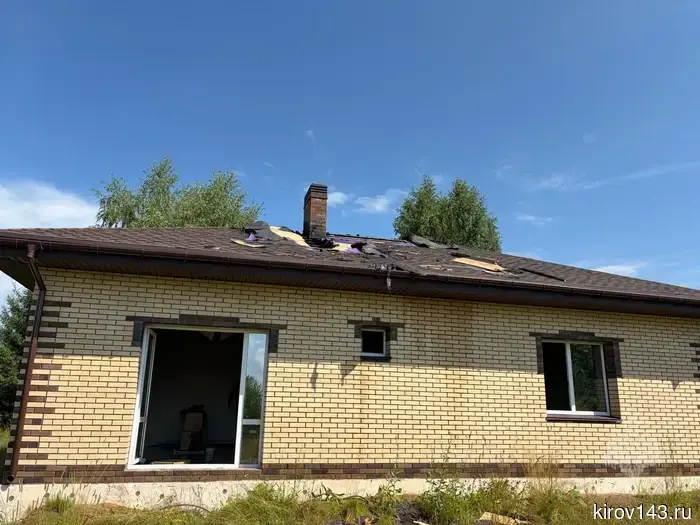 В Кировской области за сутки произошло три пожара, вызванные ударом молнии.
В Управлении МЧС по Кировской области подытожили работу за последние сутки. В Кирово-Чепецком районе между 10 и 11 часами произошли два пожара вследствие удара молнии. Один из них возник в деревне Древсяново, где в частном неэксплуатируемом доме обгорела обрешетка крыши и оплавился натяжной потолок. На тушение выехали 4 пожарных.
В Кировской области за сутки произошло три пожара, вызванные ударом молнии.
В Управлении МЧС по Кировской области подытожили работу за последние сутки. В Кирово-Чепецком районе между 10 и 11 часами произошли два пожара вследствие удара молнии. Один из них возник в деревне Древсяново, где в частном неэксплуатируемом доме обгорела обрешетка крыши и оплавился натяжной потолок. На тушение выехали 4 пожарных.
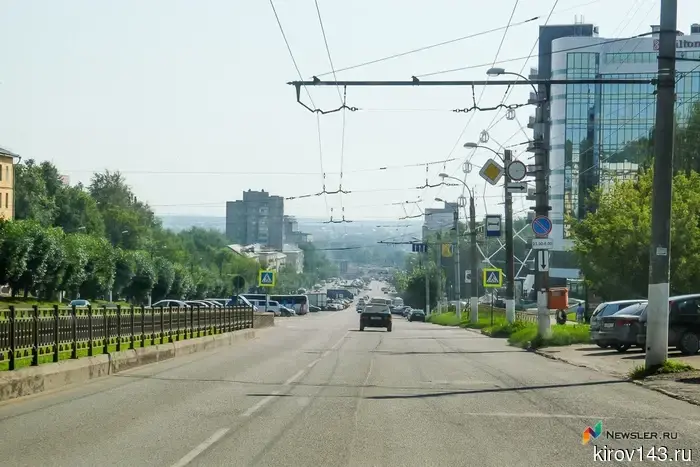 In Kirov, more than 300 violations of landscaping rules were identified in six months.
The Kirov administration summarized the results of monitoring compliance with landscaping regulations for the first six months of 2026.
In Kirov, more than 300 violations of landscaping rules were identified in six months.
The Kirov administration summarized the results of monitoring compliance with landscaping regulations for the first six months of 2026.
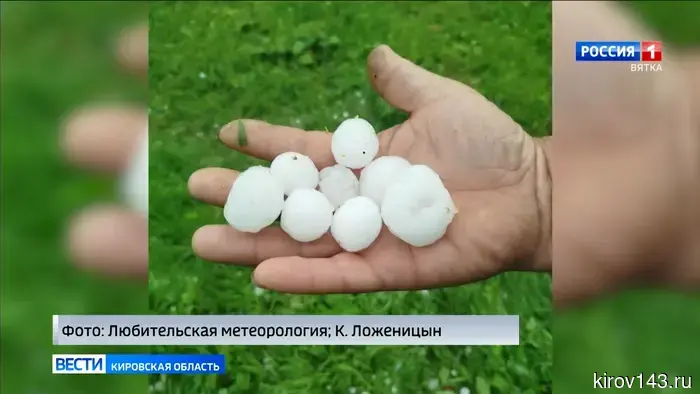 В Яранском районе наблюдался град размером с яйцо перепела.
Стихия продолжает наносить удары по нашему региону. Вчера в Кирове случилась гроза с проливным дождем, а в некоторых районах области наблюдался град. В социальных сетях пользователи размещают фотографии осадков. Например, в Яранском районе град был сложной формы и размером с перепелиное яйцо. Дождь также прошел в Котельниче, где наблюдались такие же условия.
In the Kirov region, 35 elections will take place.
We are telling who residents of the region will vote for in September.
The bailiffs of the Kirov region have changed the bank details for payments.
Residents of the Kirov region who plan to transfer funds to the bailiff's offices should check the bank details.
В Яранском районе наблюдался град размером с яйцо перепела.
Стихия продолжает наносить удары по нашему региону. Вчера в Кирове случилась гроза с проливным дождем, а в некоторых районах области наблюдался град. В социальных сетях пользователи размещают фотографии осадков. Например, в Яранском районе град был сложной формы и размером с перепелиное яйцо. Дождь также прошел в Котельниче, где наблюдались такие же условия.
In the Kirov region, 35 elections will take place.
We are telling who residents of the region will vote for in September.
The bailiffs of the Kirov region have changed the bank details for payments.
Residents of the Kirov region who plan to transfer funds to the bailiff's offices should check the bank details.
 В Кировской области прошел «Единый день фольклора».
В Кирове в рамках Всероссийской акции Единого дня Фольклора организовали массовые народные гулянья. Жители Кирова и туристы приняли участие в разнообразных мастер-классах, обрядовых играх и развлечениях. Подробности у Дарьи Якименко. - Запрягайте тройку быстрых вороных, ой ли. Фольклорные песни о природе,
В Кировской области прошел «Единый день фольклора».
В Кирове в рамках Всероссийской акции Единого дня Фольклора организовали массовые народные гулянья. Жители Кирова и туристы приняли участие в разнообразных мастер-классах, обрядовых играх и развлечениях. Подробности у Дарьи Якименко. - Запрягайте тройку быстрых вороных, ой ли. Фольклорные песни о природе,
"Every penny will go towards funding the Armed Forces of Ukraine": a Kirov resident received threats after being added to the house chat.
At first glance, a harmless discussion about capital repairs turned into a nightmare for a family in Kirov. The woman was added to the group "Project 'House,' where fake neighbors pressured her to confirm participation in the program, and within minutes, she was threatened with violence, mentioning the funding of the Armed Forces of Ukraine, and was informed about the theft of her personal data.